Brand kit.
The marks, colours and type behind Eaon, in one download.
111 files, 3.5 MB. SVG, PNG, ICO, ICNS, ASE and PDF.
Logo
The Eaon logo.
A white peak on a coral tile: the mark in this site's header and favicon. Use it, with the wordmark where there is room, whenever you show Eaon. The white disc is not the logo. It is the app icon of Eaon Desktop.
The mark


Lockups


The wordmark


Layout
Clear space and size.
- Clear spaceHalf the mark's width, on every side. Nothing else sits inside it.
- Smallest mark16 px on screen, 6 mm in print.
- Smallest lockup20 px high on screen, 8 mm in print.
- The wordmarkLowercase, and outlined in the files. Use them, and never retype it.
- GroundsWhite artwork on Ink, black artwork on Paper. On a photo, use a plain panel behind it.
Eaon Desktop
The Eaon Desktop app icon.
This is the app icon of Eaon Desktop. It is not the Eaon logo. Use it to show that app: a store listing, a review, a screenshot of the Dock. For Eaon itself, in a header, a profile or a lockup, use the logo.
The first is the icon exactly as Eaon Desktop ships it, and the other two are redraws as SVG. Stores and avatars round the corners themselves, so give them the full-bleed square.
The icon


The disc alone










Colour
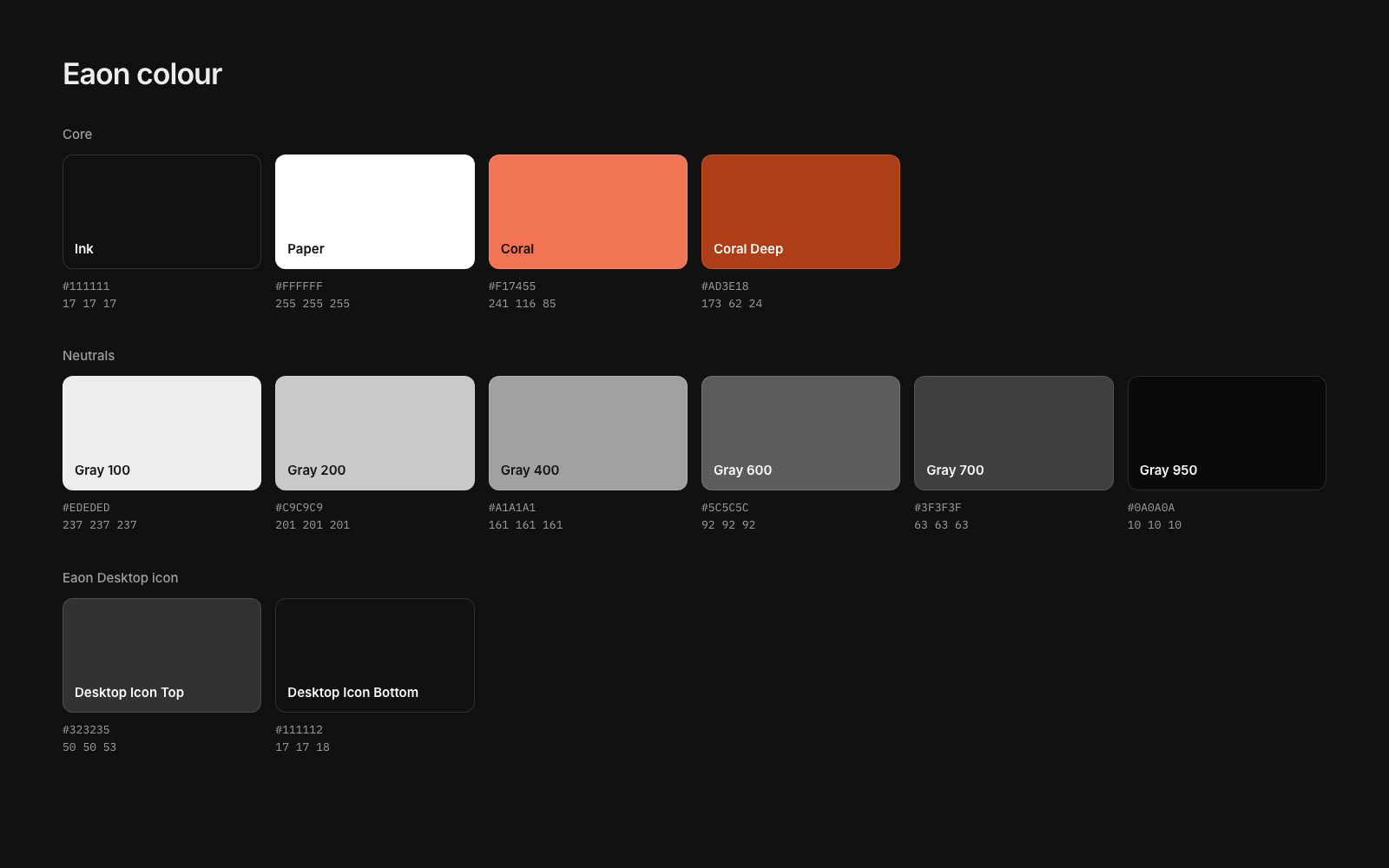
Ink, Paper and one coral.
The site and the app are near black with white type, and coral is the only accent. Press Copy to take a value. Coral reads on Ink (6.63:1) and not on Paper (2.85:1), so on a light ground use Coral Deep (6.04:1) wherever it is text.
Ink
The dark ground: page and app background.
#111111
RGB 17 17 17
HSL 0 0% 7%
Paper
The light ground, and text on Ink at full strength.
#FFFFFF
RGB 255 255 255
HSL 0 0% 100%
Coral
The accent. The Coral mark, selection, one point of colour. Not for body text on white.
#F17455
RGB 241 116 85
HSL 12 85% 64%
Coral Deep
Coral where it has to read as text or a link on a light ground.
#AD3E18
RGB 173 62 24
HSL 15 76% 39%
Gray 100
Body text on Ink. The primary button's fill.
#EDEDED
RGB 237 237 237
HSL 0 0% 93%
Gray 200
Secondary text on Ink.
#C9C9C9
RGB 201 201 201
HSL 0 0% 79%
Gray 400
Muted text on Ink: captions, labels.
#A1A1A1
RGB 161 161 161
HSL 0 0% 63%
Gray 600
Muted text on Paper.
#5C5C5C
RGB 92 92 92
HSL 0 0% 36%
Gray 700
Secondary text on Paper.
#3F3F3F
RGB 63 63 63
HSL 0 0% 25%
Gray 950
Body text on Paper. The primary button's fill on Paper.
#0A0A0A
RGB 10 10 10
HSL 0 0% 4%
Type
Inter, with Plex Mono for code.
One sans face does nearly everything. Both faces are open source. Headings are Inter 600, tightly tracked, in sentence case. Body is Inter 400 at 16 to 18 px.
Inter. Free, open source, no account. Get Inter
IBM Plex Mono, for commands and code only. Get Plex Mono
Voice
Say what it does and what it costs.
- The nameEaon, with a capital E, in running text. The lowercase eaon is the wordmark. Never EAON.
- The appsEaon Desktop and Eaon CLI, when the two need telling apart.
- The voicePlain and specific. A number beats an adjective. No em dashes or en dashes.
- In our wordsBuilt to put the AI toll booths out of business. Free, open source, no account.
Using the marks
Keep them as drawn.
Use the files as supplied, on a plain ground. Do not stretch, rotate, recolour, crop, add shadows or glows, put Coral on a coral ground, or use the Eaon Desktop app icon as the Eaon logo. The guidelines show each one.
Eaon's code is licensed under the GPL-3.0, and that license covers the code. The name and the marks are here so you can refer to Eaon accurately, in articles, talks, directories and integrations. Do not use them to suggest that Eaon made or endorses something it did not. Questions go to support@eaon.dev.
Social
Images at the right sizes.
The banners are centred so the profile picture on X and LinkedIn does not cover them.
Avatars, 1024 px, full bleed: Eaon logoEaon Desktop app icon